
Adding a group
Adding a group
The Add Product Group section is designed to create new groups used for additional organization and grouping of products in an online store. Groups allow you to create themed product collections based on their purpose, characteristics, popularity, seasonality, or marketing objectives.
Unlike categories, which define a product's primary place in the catalog structure, groups provide flexible additional classification. A product can belong to several groups simultaneously but can belong to only one category. For example, a product can be included in the "New Arrivals", "Best Sellers", and "Recommended Products" groups while remaining in its primary catalog category.
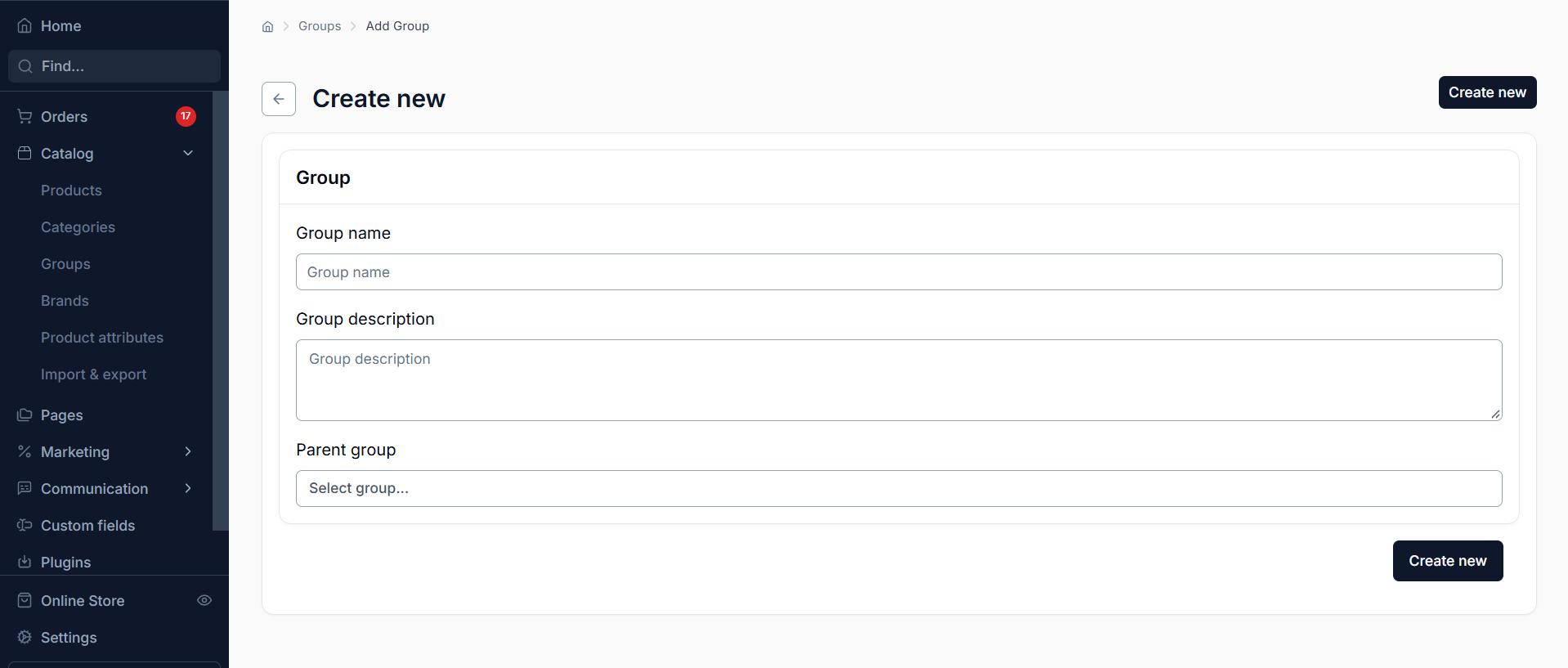
Main Fields
1. Group Name (Name)
The name of the group, used to identify it in the administration panel and, depending on the store settings, may also be displayed on the public-facing storefront. It is recommended to use short, clear names that reflect the purpose of the group. For example: "New Arrivals", "Sale Items", "Popular Products", "Summer Collection".
2. Description (Description)
A text description of the group that allows you to provide additional information about its purpose or the characteristics of the products it contains. The description can be used to explain the contents of a product collection to customers or for internal catalog organization. If necessary, it can include formatted text.
3. Parent Group (Parent Group)
A field for specifying the parent group when creating a nested structure. If no parent group is selected, the new group is created at the top level. If an existing group is selected, the new group will be added as its subgroup.
For example, you can create a "Seasonal Products" group and add the subgroups "Summer Products", "Winter Products", and "Mid-Season Products" within it. This structure helps organize large product collections and makes them easier to manage.
Important Features
Product groups do not have separate SEO settings and are not intended for building the catalog's SEO structure. Categories are used for search engine optimization and for establishing the main product structure.
After creating a group, you can manage its contents and add the required products. A product can be included in several groups simultaneously, allowing it to be used in different themed and marketing collections without duplicating product listings.
Usage Recommendations
Before creating groups, it is recommended to plan their organization and subgroup hierarchy. Use clear names, avoid creating duplicate groups with the same purpose, and build the structure according to your store's needs. This will simplify product range management and allow you to use groups more effectively in marketing and sales scenarios.