
Import/export history
Import/export history
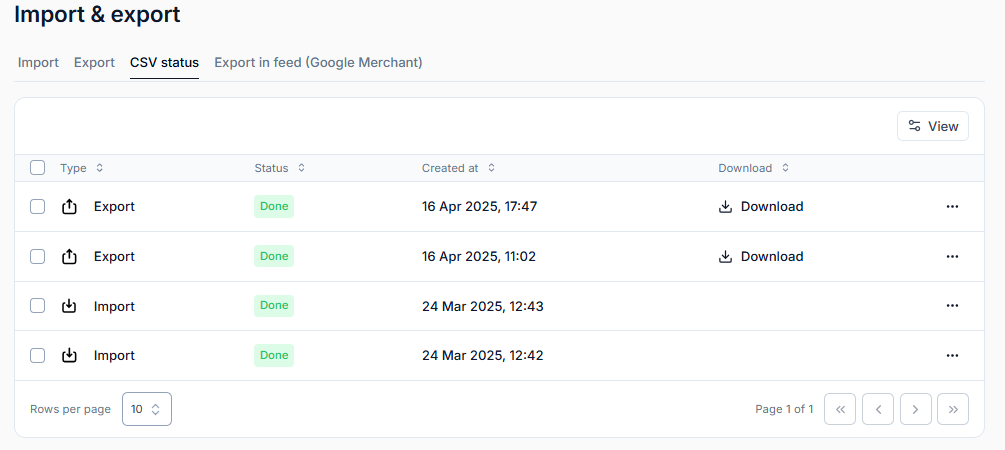
Import/Export History:
A table displaying all recent operations is shown:
Type — Import or Export;
Status — operation status (Done);
Created at — date and time of execution;
Download — button for downloading the result (for export operations).
You can monitor the completion status of tasks and download the required file.
Recommendations
After importing, check the status in the CSV status tab to ensure that the operation was completed successfully.
Read more:
There is no online store yet, or do you need to update the existing one?
Order you store