
List of products
List of products
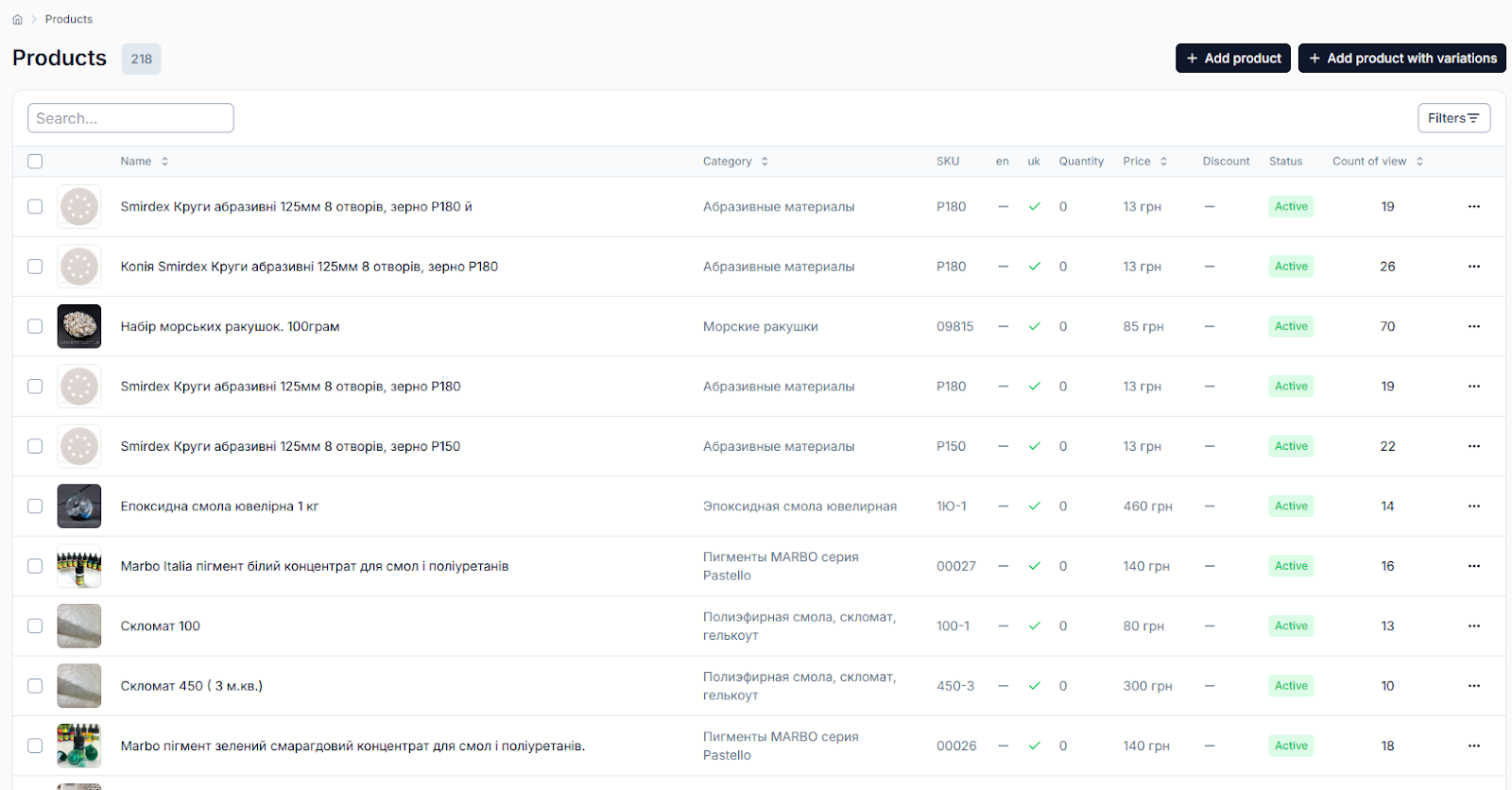
The Products page is the main administrative interface for managing all products in the online store. It provides quick access to essential operations, including viewing, editing, searching, filtering, creating, and managing products in bulk.
On the right-hand side, there is a + Add product button that opens the page for creating a new product. For instructions on adding products, see here.
Products Table
The central area of the page contains a table listing all existing products, if any have been added. Each row represents an individual product, while the columns display key product information:
Field |
Description |
Checkbox |
Used for bulk actions, allowing you to select one or multiple products, or all products at once. |
Image |
A thumbnail of the product's main image. |
Product Name |
The product name with multilingual support. Clicking the name opens the product editing page. |
Category |
The primary category to which the product belongs. |
SKU |
The unique product code (internal identifier). |
Price |
The standard retail price. If multiple currencies are supported, the price is displayed in the base currency. |
Quantity |
The available stock quantity. |
Status |
Indicates whether the product is active (green checkmark) or inactive (grey indicator). |
|
Actions  |
Clicking this button provides the options to Edit or Delete a product. |
Search and Filtering
The upper section of the table contains tools for convenient product navigation:
Search by Name / SKU – allows you to quickly find products by their name or SKU.
Filters
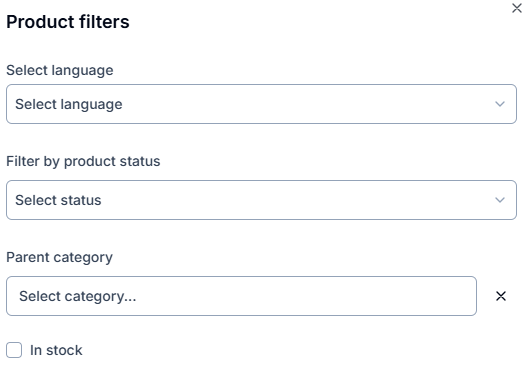
Products can be filtered by language, status, and category.
By default, the page displays only active products. To view inactive products, use the filters.
Product Display

At the bottom of the products table, you can configure the number of products displayed per page.